


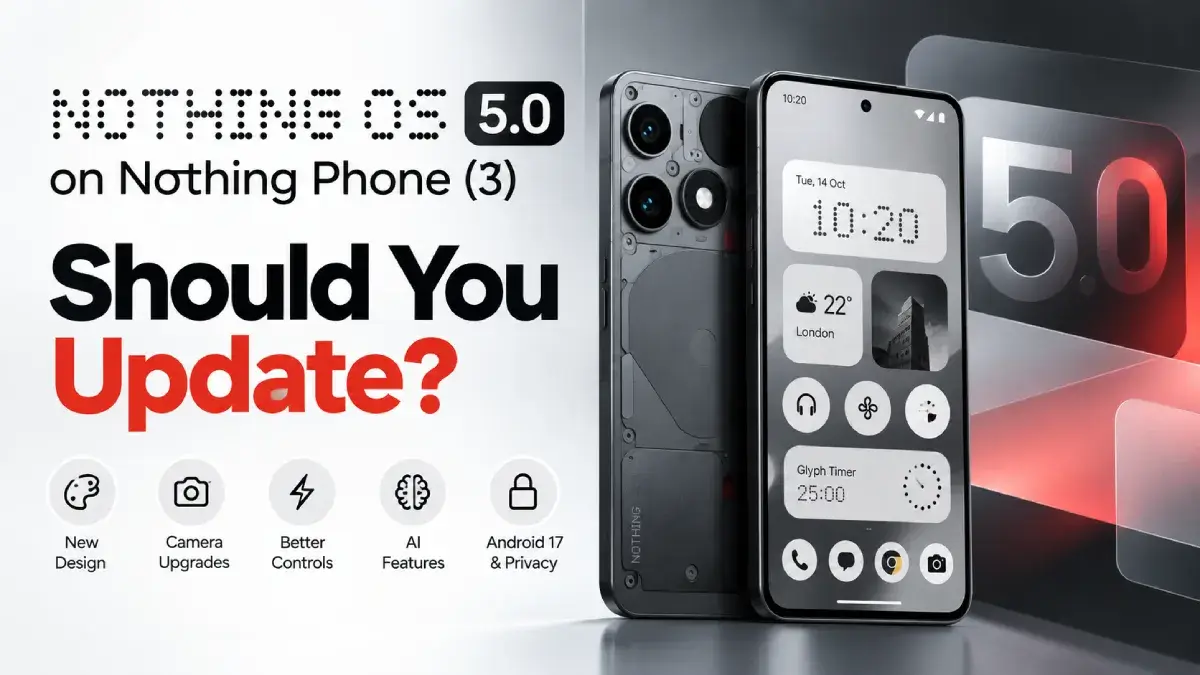
Yes, Nothing OS 5.0 looks like a worthwhile upgrade for the Nothing Phone (3), but if your phone is working perfectly, waiting a week or two before installing it is a sensible precaution. The update brings Android 17, a redesigned interface, expanded customization, camera improvements, and new Glyph and AI features. However, its long-term stability and real-world battery performance are not yet established.
As of 15 October 2026, Nothing OS 5.0's stable rollout has begun for the Nothing Phone (3), including in India. The update is being distributed in phases, so it may not appear on every device immediately.
The decision comes down to what you value most: getting the latest features or keeping a familiar, reliable software experience.
What's new in Nothing OS 5.0?
Nothing OS 5.0 introduces changes to the interface, camera, system controls, and Android platform. Here are the improvements most likely to affect everyday use.
| Feature | What's new | Why it matters |
|---|---|---|
| Interface and design | Translucent Lucent theme, refreshed icons, Geist font and redesigned Settings | A more customizable visual experience |
| Home screen | Wallpaper-matched colours, transparent widgets and bulk icon arrangement | Easier personalization |
| Lock screen | New clock faces, improved wallpaper depth effects and additional colour options | More control over appearance |
| Performance | Promised improvements to animations, app launches and memory management | Potentially smoother everyday use |
| Glyph Interface | Dedicated Glyph app and Glyph Timer widget | Easier access to Glyph features |
| Camera | Additional video options, filters and camera tuning improvements | More flexibility when shooting |
| AI features | Improved voice transcription, Smart Collections and Essential Apps tools | Better ways to organize information and create tools |
| Notifications | Option to separate Quick Settings and notifications | More flexible controls |
| Privacy | Android 17 privacy indicators and updated controls | Greater visibility into sensitive app access |
These features are described on Nothing's official OS page and in Android Authority's coverage of the stable release.
The feature list is promising, but advertised performance improvements should not be confused with independently verified results on every Phone (3).
1. The biggest advantages of Nothing OS 5.0
A redesigned interface with more customization
The visual changes are among the most noticeable reasons to upgrade.
The Lucent theme introduces translucent interface elements, while wallpaper-matched icon colours offer more personalization. Nothing has also refreshed the Settings interface and introduced the Geist font.
The lock screen gets additional clock styles and improved wallpaper positioning, giving you more control over the phone's appearance.
If you enjoy Nothing's minimalist design, these changes should be appealing. If you prefer the existing monochrome look, however, the redesign may not be a compelling reason to update on its own.
Verdict: A meaningful visual upgrade, although whether it looks better is subjective.
More convenient everyday controls
Some of the smaller changes could be more useful than the visual redesign.
- Bulk home-screen editing: Rearrange multiple icons and widgets together rather than moving everything individually.
- Separate notification and Quick Settings panels: Choose a control layout that better suits your preferences.
- Dedicated Glyph app: Access Glyph-related features more conveniently.
- Glyph Timer widget: Make timer functionality easier to access from the home screen.
- Away Time widget: Track how long you spend away from your phone.
These changes focus on reducing friction in everyday use rather than simply adding decorative features.
A hands-on report from Beebom also highlights the convenience of bulk home-screen editing and the new widgets.
Verdict: If you regularly customize your home screen or use Glyph features, these improvements may provide more practical value than the new visual effects.
Additional camera features
Nothing OS 5.0 introduces several camera-related changes, including:
- Additional video recording options, including H.265.
- Dual-view video recording.
- More camera tuning and preset controls.
- Video filters and interface refinements.
- Improvements to zoom and close-up shooting.
These additions may be particularly useful if you record videos frequently or like experimenting with different shooting options.
There is an important distinction, though: more camera features do not automatically mean better image quality. The available information does not establish that every photo will look better in all lighting conditions after the update.
Verdict: A good reason to consider upgrading if you use the camera regularly, but not enough evidence to promise a universal improvement in photo quality.
Android 17 and privacy improvements
Nothing OS 5.0 is based on Android 17, making this a platform upgrade as well as a Nothing-specific interface refresh.
The documented changes include more visible indicators for sensitive access, updated privacy and permission controls, expanded Dark Theme support, and improved screen-recording controls.
Quick Share also offers functionality intended to make sharing with iPhones easier through a QR code and secure web link.
These additions are valuable because they extend beyond appearance and introduce changes to how you interact with Android.
For the precise feature list, consult Nothing's official OS page.
Verdict: One of the strongest reasons to upgrade if you want the newer Android experience and its associated improvements.
Improved Essential AI features
If you use the Essential Key and Essential Space, Nothing OS 5.0 introduces several enhancements worth exploring.
Essential Voice offers faster transcription and improved formatting. Smart Collections can organize related captures, while Essential Apps lets you describe a tool and attempt to generate it with AI.
The practical value depends on your needs. Someone who frequently captures notes and information may benefit more than someone who rarely uses these tools.
AI-generated applications also deserve realistic expectations. An interesting demonstration does not necessarily translate into a dependable replacement for a conventional app.
Verdict: Promising additions, but not a decisive upgrade reason for everyone.
2. The disadvantages and risks you should consider
The stable release only began rolling out on 12 October 2026. That makes it too early to draw firm conclusions about long-term reliability, battery performance, or compatibility across every user's apps and configuration.
Early bugs may remain
Initial community feedback has included reports of:
- Slightly delayed animations when opening notifications or Quick Settings.
- Missing or changed camera options.
- Continued concerns about black crush or a green tint on the display.
Other users have described their experience positively. These are individual reports, not proof that every Nothing Phone (3) will encounter the same problems.
You can review the discussion in the NothingTech community's stable-release megathread.
What this means for you: If you rely on your phone throughout the day, there is a reasonable case for waiting until more users have tested the stable release. If you enjoy getting new features early and can tolerate occasional software issues, updating sooner may make sense.
Battery life remains uncertain
There is not enough reliable, controlled comparison data to establish whether Nothing OS 5.0 improves battery life over Nothing OS 4.1.
After a major software update, background processing and app optimization can temporarily affect power consumption. However, warnings associated with beta software should not automatically be treated as evidence of the same problems in the stable release.
For the first several days after updating:
- Avoid judging battery life from the first few hours alone.
- Check battery usage to identify unusually power-hungry apps.
- Compare screen-on time and overnight drain with your previous experience.
- Allow time for background activity to settle before drawing conclusions.
If your current battery life is excellent and you do not need the new features, waiting for more stable-release reports is reasonable.
Performance improvements are not guaranteed
Nothing advertises smoother animations, faster app launches and better memory management.
Those are worthwhile goals, but the available information does not establish how much faster the stable release makes the Phone (3) in everyday use.
Your results may depend on your installed apps, available storage, background activity and existing software configuration.
Do not install the update expecting a dramatic speed increase unless reliable testing supports that expectation.
Some features still have limitations
The early hands-on review from Beebom also identified limitations worth considering:
- Essential Key customization remains limited.
- Lock-screen widgets do not support third-party apps as broadly as some users might expect.
- Some Essential AI features still feel experimental.
- Certain notification-management features remain less mature than comparable implementations elsewhere.
These limitations do not make the update a bad choice, but they are reasons to evaluate the features you will actually use rather than judging the upgrade by its feature count alone.
Read the Beebom hands-on report for additional context.
The download is relatively large
Android Authority reports that the stable update is approximately 2.84 GB for users upgrading from a non-beta version. The exact download size may vary with your existing software build.
Before downloading, make sure you have enough free storage, a reliable Wi-Fi connection and sufficient battery charge.
3. Nothing OS 5.0 vs Nothing OS 4.1
Here is how the two versions compare from a practical perspective.
| Category | Nothing OS 4.1 | Nothing OS 5.0 |
|---|---|---|
| Android generation | Android 16 | Android 17 |
| Interface | Familiar Nothing design | Redesigned translucent interface |
| Customization | Existing customization options | Additional icon, wallpaper and lock-screen options |
| Animations | Established everyday experience | Further refinements promised |
| Multitasking | Existing functionality | Improved memory management promised |
| Notifications | Existing controls | Option to separate notifications and Quick Settings |
| Glyph features | Existing Glyph controls | Dedicated Glyph app and timer widget |
| Camera | Existing camera experience | Additional video features and refinements |
| Stability | More time to mature | Stable release is still new |
| Battery life | Your current baseline | Improvement not yet established |
The key trade-off is straightforward: Nothing OS 5.0 brings more features and a newer Android platform, while Nothing OS 4.1 has a more established track record on your device.
If you are happy with OS 4.1, there is no need to rush solely because a new version is available. If the new features matter to you, the stable release is worth considering.
4. How to update your Nothing Phone (3)
The official stable rollout has started, including for users in India. Availability is phased, so you may need to wait if the update is not showing on your device.
You do not need to join the beta program to receive the stable release.
Follow these steps:
- Open Settings on your Nothing Phone (3).
- Select System.
- Tap System update.
- Check for available updates.
- If Nothing OS 5.0 appears, review the update details and begin downloading it.
If the update is not available, check again later. A missing update does not necessarily indicate a problem with your phone.
You can also consult Nothing's official OS page for information about the release.
Before installing, take these precautions
- Back up important data, including photos, contacts and messages.
- Charge your phone to at least 50%, or keep it connected to a charger.
- Use Wi-Fi for the download.
- Confirm that sufficient storage is available.
- Install the official stable OTA update rather than manually installing firmware from an unverified source.
- After installation, allow some time for background activity to settle before evaluating battery life or performance.
If you depend on your phone for work, banking or UPI payments, consider waiting until you have reviewed reports about compatibility with the apps you use.
5. Should you update now or wait?
Your priorities matter more than the number of new features.
| Your priority | My recommendation | Reason |
|---|---|---|
| Latest Android features | Update when the stable OTA is available | You gain Android 17 and Nothing OS 5.0 features |
| Customization | Update | The interface and home-screen options are more flexible |
| Camera features | Consider updating | Additional shooting options may be useful |
| Battery life | Wait for more reports if you're satisfied now | A battery improvement has not been established |
| Maximum stability | Wait one or two weeks | More time is needed to assess widespread issues |
| Banking, UPI and work reliability | Check app compatibility reports first | Avoid unnecessary disruption to essential tasks |
| Enjoy experimenting with software | Update | You can explore the new features while accepting some uncertainty |
Waiting one or two weeks is a precaution, not a claim that Nothing OS 5.0 is unsafe. It simply gives the stable release more time to accumulate real-world feedback.
Final verdict: Is Nothing OS 5.0 worth installing?
My recommendation is to update to Nothing OS 5.0 through the official stable release, but do not rush if your Nothing Phone (3) is working perfectly.
The upgrade has meaningful advantages: a refreshed interface, better customization, additional camera options, new Glyph features, Essential AI improvements and Android 17.
The main uncertainty is how the stable release performs over time. Battery-life gains have not been established, and early user reports suggest that some bugs or existing display concerns may remain.
I would give the update's potential an 8/10, rather than treating that as a verified rating of its current stability.
Here is the decision I would make:
- Update now if you want the new features, are comfortable with some early-release uncertainty and have backed up your data.
- Wait a week or two if battery life, display consistency, app compatibility or reliability matters more than getting the latest features immediately.
For most users who want the newer Android experience, Nothing OS 5.0 looks promising. For someone whose phone is essential for work and payments, a short wait is a sensible trade-off.
Evidence note: This recommendation reflects the supplied release coverage, early hands-on reporting and initial community feedback. It is not based on controlled battery testing or a long-term independent review of Nothing OS 5.0.
